
Download Automation Workshop – automation tool, task automation, no-code automation, Windows automation, business productivity, workflow automation
Overview
Automation Workshop is a productivity-focused tool designed to streamline repetitive tasks within Windows environments. By leveraging a no-code interface, it empowers users across various industries to automate workflows without requiring programming expertise. The application targets professionals, IT administrators, and business teams seeking to reduce manual labor and operational inefficiencies. With the ability to execute tasks 24/7 through software bots, Automation Workshop helps organizations achieve significant cost savings and minimize human error. Its core functionality revolves around creating, scheduling, and monitoring automated processes triggered by specific events or time intervals.
While the developer, Automation Workshop, has not provided additional background on its history or team, the application’s focus on usability and enterprise-grade features suggests a targeted approach to business automation. Real-world use cases include automating file backups, processing incoming emails, generating reports, and managing system maintenance tasks. These capabilities make it particularly valuable in departments such as finance, operations, and IT support. The app contributes to the broader productivity ecosystem by enabling faster, more consistent workflows without the complexity traditionally associated with automation software.
Key Features & Functionality
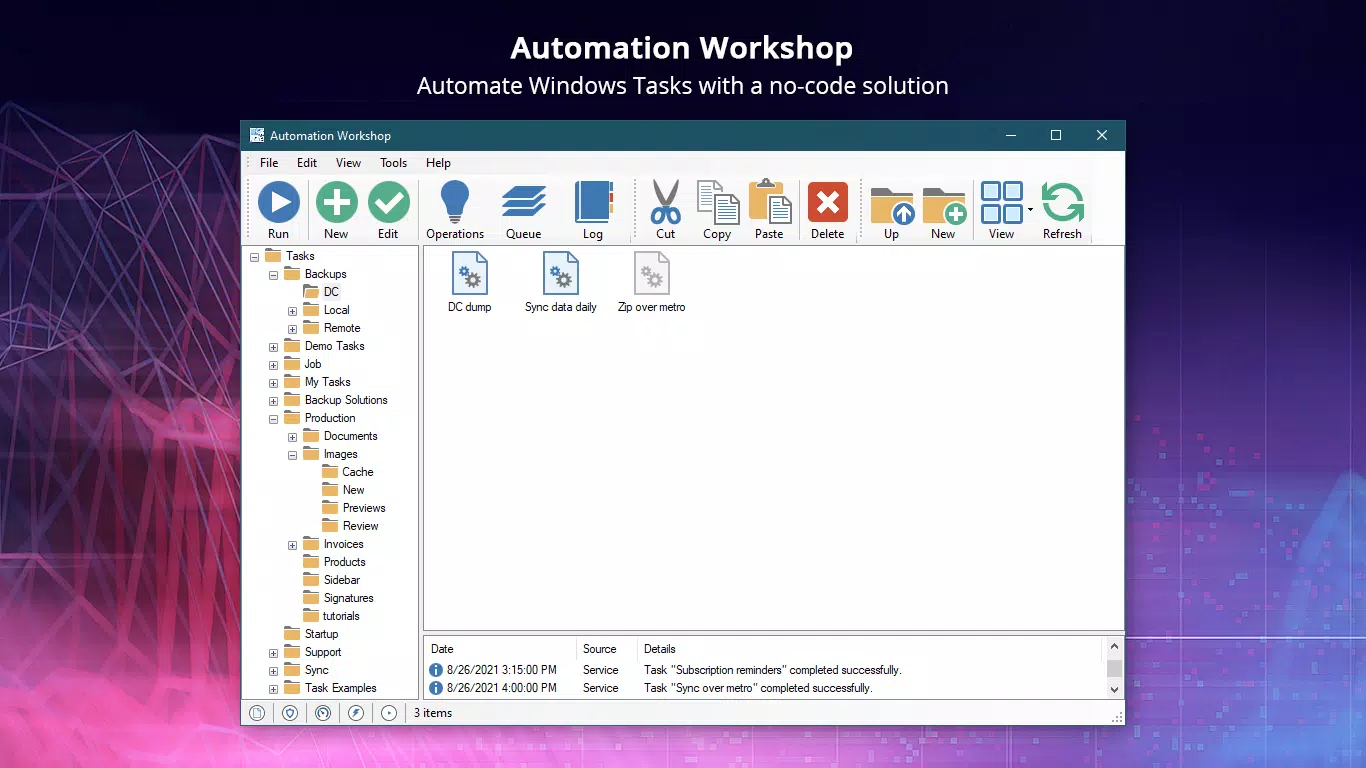
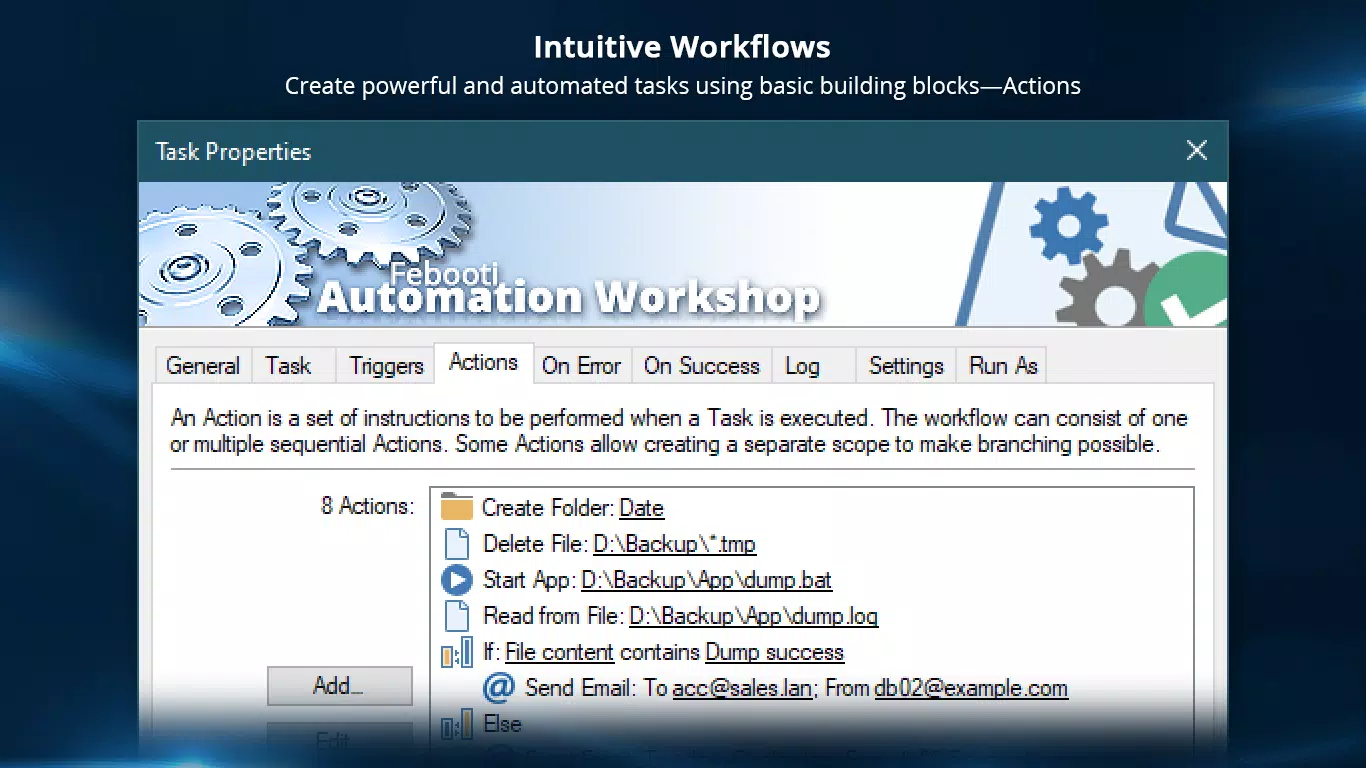
- User-Friendly Interface: A graphical interface eliminates the need for coding, allowing users to build automation workflows through drag-and-drop actions. The Task Wizard guides users step-by-step, reducing the learning curve for new users.
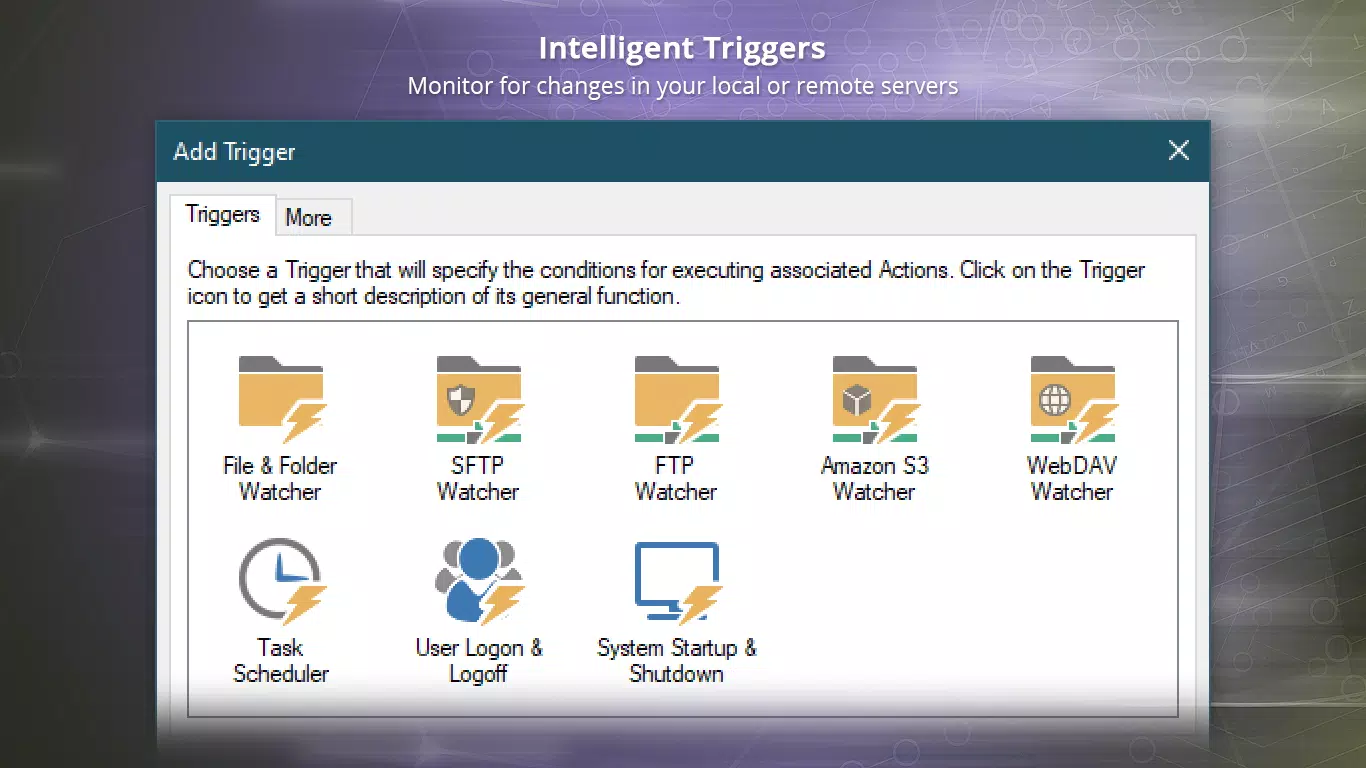
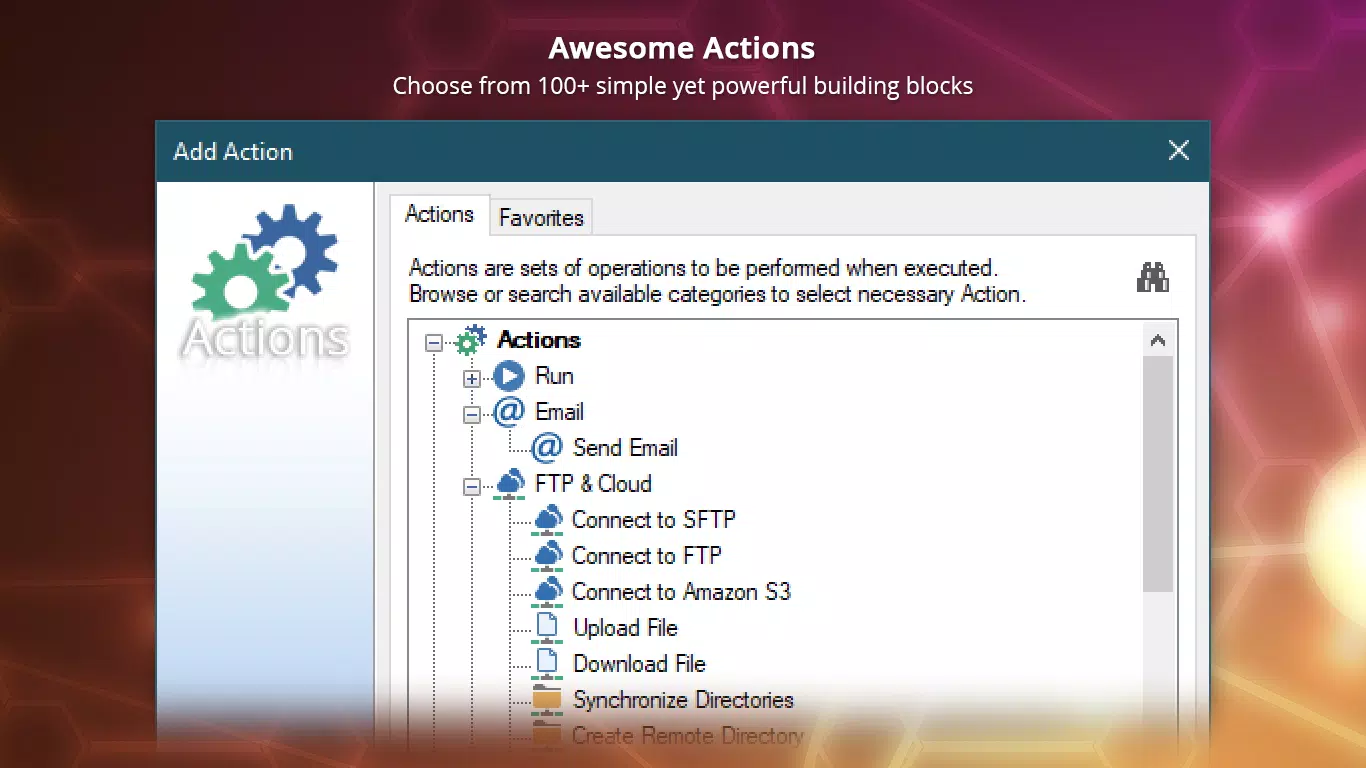
- Task Automation with Over 100 Actions: Users can automate a wide range of tasks including file manipulation, system monitoring, email handling, and data processing. Tasks can be triggered by events such as file creation, user login, or scheduled times.
- Robust Auditing Tools: The Log Manager and Queue Manager provide detailed tracking of all automated processes, enabling teams to monitor performance, troubleshoot issues, and ensure compliance with internal standards.
- Instant Event Reaction: Built-in triggers allow the software to respond immediately to system events, such as new file arrivals or changes in folder contents, ensuring timely execution of critical workflows.
- Enterprise-Grade Security: Automation Workshop uses SSL and AES-256 encryption to secure data and processes. Bots can run unattended with confidence, supporting scalable automation across multiple systems.
For example, a finance team could use the tool to automatically extract data from incoming invoices, validate entries, and update a central database. Similarly, an IT administrator might set up a task to run system diagnostics every night and send alerts if anomalies are detected. These use cases highlight how the app transforms routine, time-consuming work into reliable, automated processes.
Interface, UX & Performance
Automation Workshop features a clean, intuitive graphical interface designed for ease of navigation. The layout organizes tasks, triggers, and actions into clearly labeled sections, enabling users to build workflows without confusion. Visual cues and step-by-step wizards support users throughout the automation setup process, reducing the risk of configuration errors. Navigation is consistent across all modules, promoting a smooth user experience.
Although the developer did not list formal performance metrics, the application is reported to operate efficiently on standard Windows systems. It maintains responsiveness even when managing multiple automated tasks simultaneously. Stability appears to be a priority, with tools like the Queue Manager helping prevent task overload. The software runs in the background without significant impact on system resources, making it suitable for both lightweight and enterprise-grade deployments.
Platform Compatibility & Technical Requirements
Automation Workshop is designed exclusively for the Windows platform. It is compatible with modern Windows operating systems, though specific version requirements were not listed by the developer. The application has a file size of 44.2 MB, indicating a lightweight footprint that should install quickly on most devices. The latest version available is 2.0.3, released on March 25, 2024.
Specific hardware or software requirements were not disclosed. The developer did not specify minimum OS versions or RAM/CPU thresholds. Users are advised to ensure their system meets general Windows compatibility standards for optimal performance. Compatibility information was not fully disclosed.
Pros and Cons
Pros
- No-code interface enables automation without programming knowledge
- Over 100 built-in actions and triggers for versatile task creation
- Event-driven automation ensures real-time task execution
- Robust auditing and logging tools for process transparency
- Strong security protocols including AES-256 encryption
Cons
- Platform limited to Windows; no support for macOS or Linux
- Specific technical requirements were not listed
- Price point may be high for individual or small-scale users
- Developer did not provide detailed system compatibility data
- No information on mobile or cloud-based access options
FAQ
Is Automation Workshop safe to use on my Windows system?
Yes, the application adheres to industry-standard security protocols, including SSL and AES-256 encryption. It is designed to operate securely in both personal and enterprise environments.
Can I automate tasks without coding?
Yes, Automation Workshop is built for no-code automation. Users can create complex workflows using a visual interface and pre-built actions, eliminating the need for programming skills.
Is there a free version available?
The application is available for a one-time purchase of $49.95. There is no free or trial version mentioned in the provided information.
How often can I update the software?
Updates are released by the developer to improve functionality and security. The latest version is 2.0.3, published on March 25, 2024.
Can I run multiple automation bots at once?
Yes, there is no limit to the number of bots you can create. This allows for scalable automation across multiple systems or departments.
Final Thoughts
Automation Workshop stands out as a powerful, no-code solution for Windows-based task automation. Its intuitive design, extensive action library, and strong security make it a valuable tool for teams aiming to boost productivity and reduce manual effort. While the lack of cross-platform support and detailed technical specs may limit its reach, its core functionality delivers clear value to businesses and IT professionals. The ability to automate complex workflows without coding is a major advantage in today’s fast-paced digital environment.
For organizations seeking to enhance operational efficiency, minimize errors, and free up staff for higher-value work, Automation Workshop offers a compelling solution. The one-time purchase model ensures long-term access without recurring fees.
Download Automation Workshop now


